Reportcards
Reportcards ERP: the notebook, rebuilt as an app
One app for a coaching centre's attendance, fee ledger, materials, exams, report cards and analytics. The signed-in role decides what each person sees.
At a glance
The problem
Attendance, fees and marks lived in notebooks and WhatsApp, where nobody could search them or hand them to a new teacher.
What I built
One app where your role decides what you see: attendance, a fee ledger, materials, exams and report cards that print from the browser.
What changed
Records the centre can search and hand over, protected by the database itself. Offered to teachers and admins today.
Read the transcript
This is the Reportcards ERP, and why I built it.
Reportcards is a coaching centre in Jaipur. It ran on notebooks and WhatsApp.
Attendance, fees and marks lived in places nobody could search, share with a parent, or hand to a new teacher.
So I built one app, where your role decides what you see.
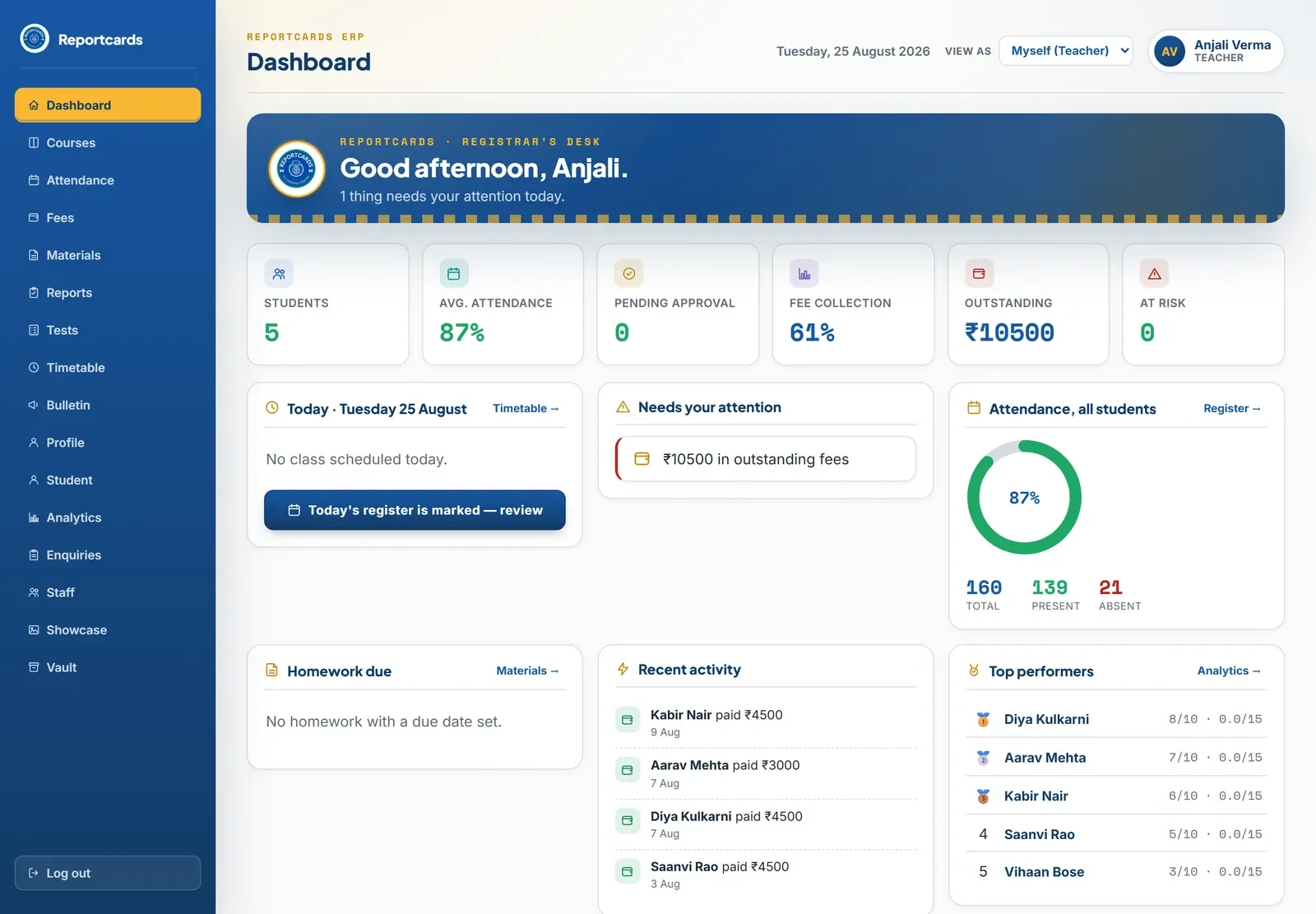
The day starts here. It greets you, then tells you what needs attention.
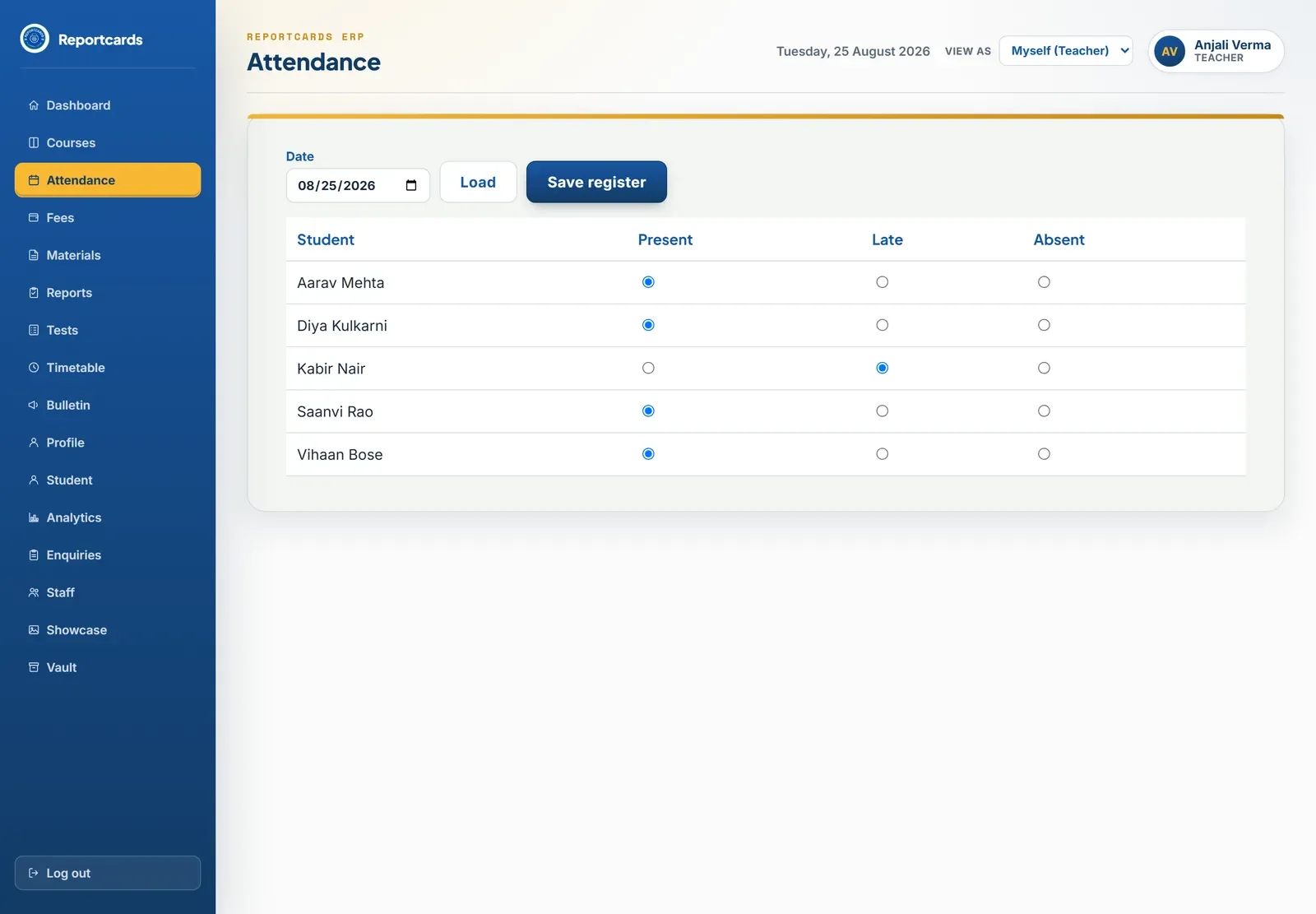
Teachers mark the register in class, on their phones.
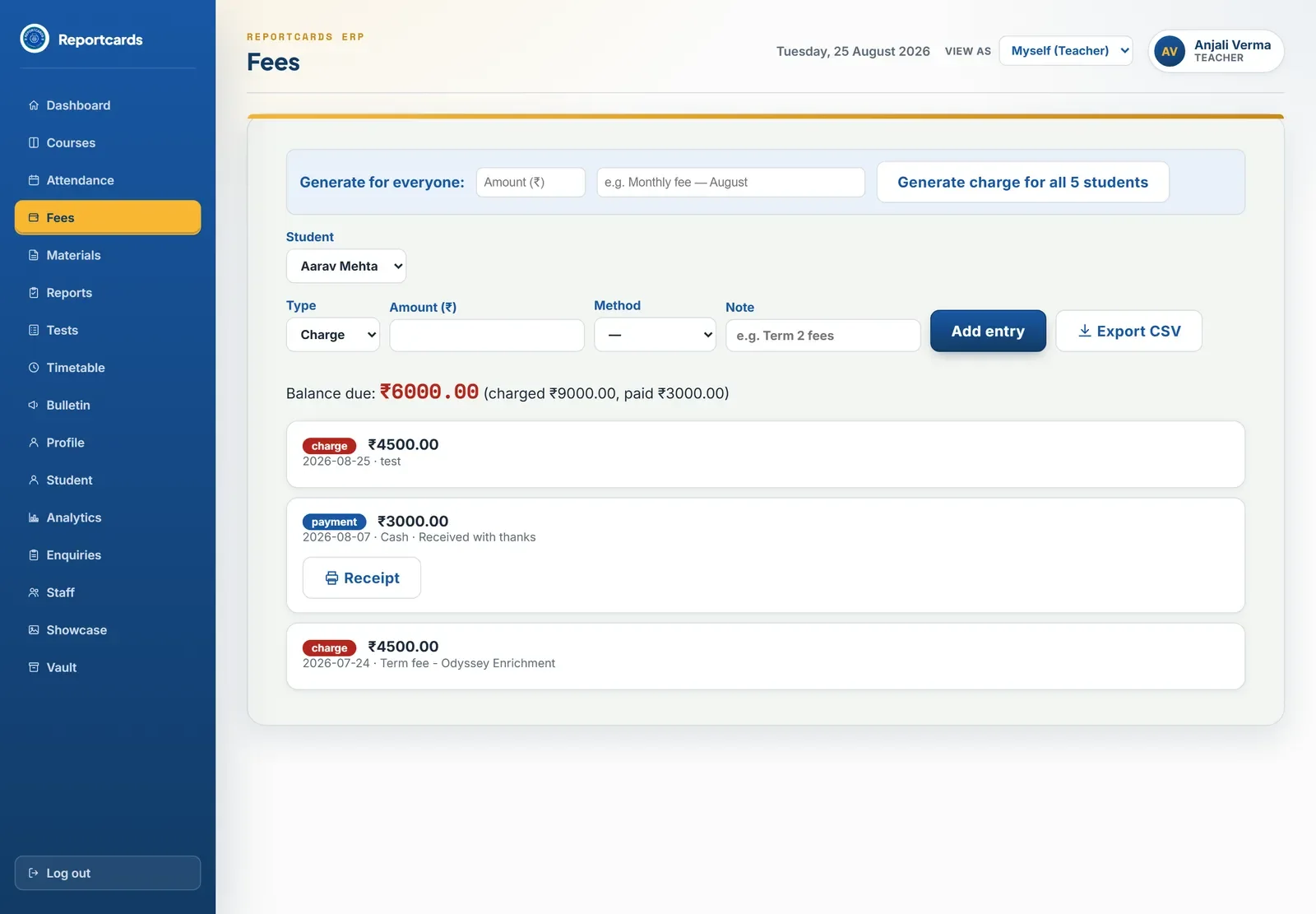
Fees are a simple ledger. The centre takes payments in person, so there is no payment gateway to pay for.
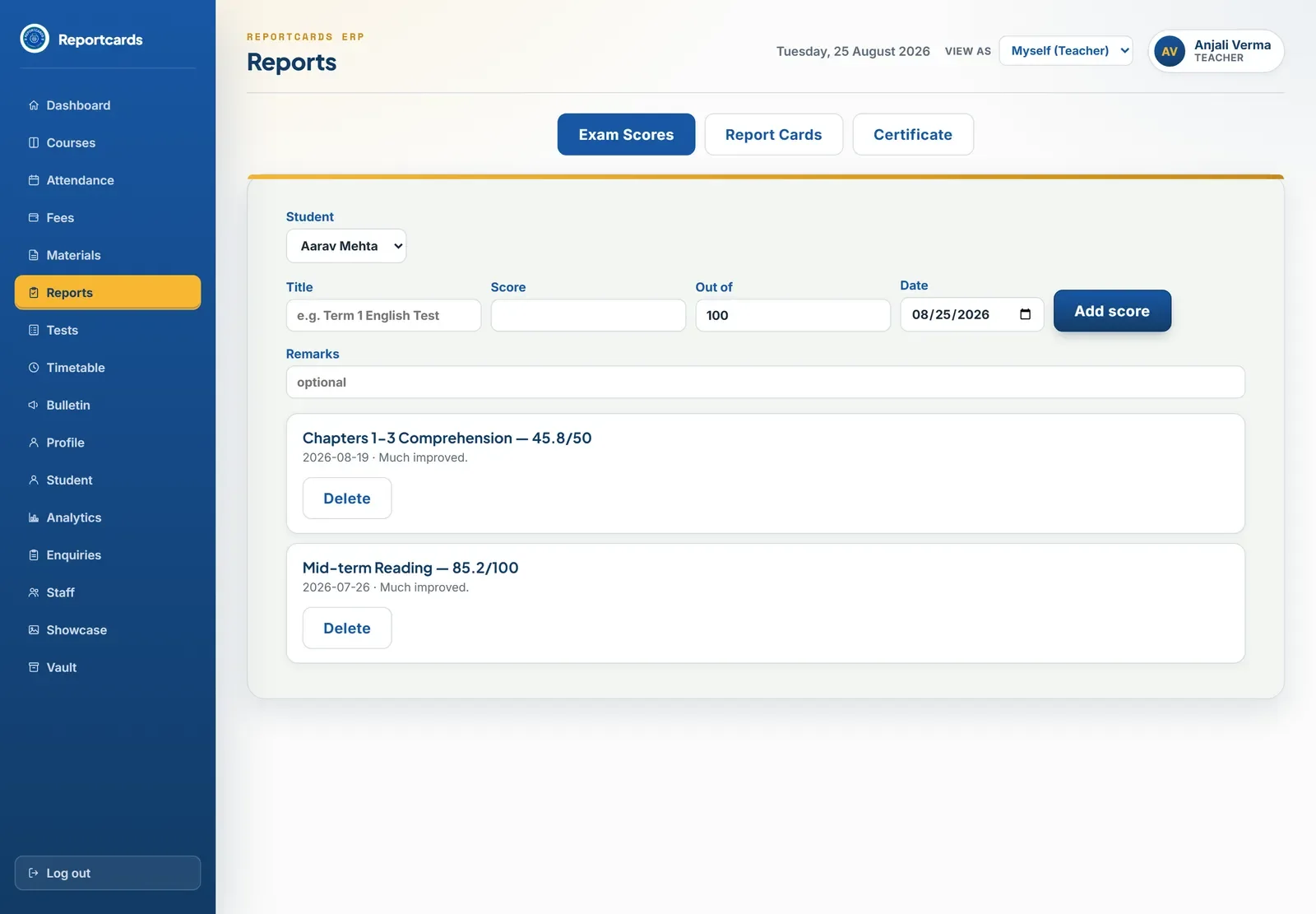
Exam scores become report cards that print straight from the browser.
These are children's records. So the database itself refuses the wrong person, not just the menu.
Now the centre has records it can search, share with a parent, and hand to a new teacher.
Why the ERP works like this
A notebook that answers back
The centre ran on notebooks and WhatsApp. The ERP's job is to turn those pages into records that can be searched, shared with a parent or handed to a new teacher, without making anyone learn software.
Read the registrar's desk
Seeded test data on a development copy.
- It greets you, then tells you what is wrong
The first panel says good afternoon and how many things need attention, so the day starts with the to-do, not a menu.
- Six numbers, read in one glance
Students, attendance, approvals, collection, outstanding and at risk: the questions an owner asks every morning, answered before a click.
- Problems surface themselves
Outstanding fees appear under Needs your attention instead of waiting in a report nobody opens.
- View as a different role
Staff can check exactly what a teacher or parent sees. What you see depends on your role, so this is how they confirm it.
- Seal blue, exact values
The ERP's colours were first eyeballed, then switched to the kit's exact seal values so the app matches the brand.
Decisions, and why
The database is the lock, not the menu
Access rules live in database policies. Teachers see only their own students, and a parent account would only ever see its own child.
Why: These are children's attendance, fee and progress records. Hiding a menu item is not security; the database refusing the read is.
A fee ledger with no payment gateway
Fees are charges and payments per student with the balance worked out, managed only by the admin.
Why: The centre takes fees in person. A gateway would add a monthly cost and a failure point for a job the ledger already does.
Report cards print from the browser
Exam scores turn into printable report cards rendered by the browser.
Why: The browser already prints well. A paid PDF service would cost money for the one document the centre is named after.
Nobody picks their own role
An uninvited sign-up starts as a student. Staff assign parent and teacher roles or send an invitation.
Why: If people could choose a role, anyone could call themselves a teacher and read a class's records.
Silent failures made loud
The mail, push and PDF workers report a heartbeat, and undelivered alerts are listed.
Why: Notices once sat undelivered with nothing on screen to say so. Now a failure shows up instead of hiding.
Installs like an app
The ERP installs as an app and is wrapped for Android.
Why: Teachers mark attendance on their phones in class; opening a browser and logging in each time would not survive a week.
One day in the ERP
The teacher marks present, late or absent, with a lesson note for the day.
Fees, materials and exam scores land in the same records.
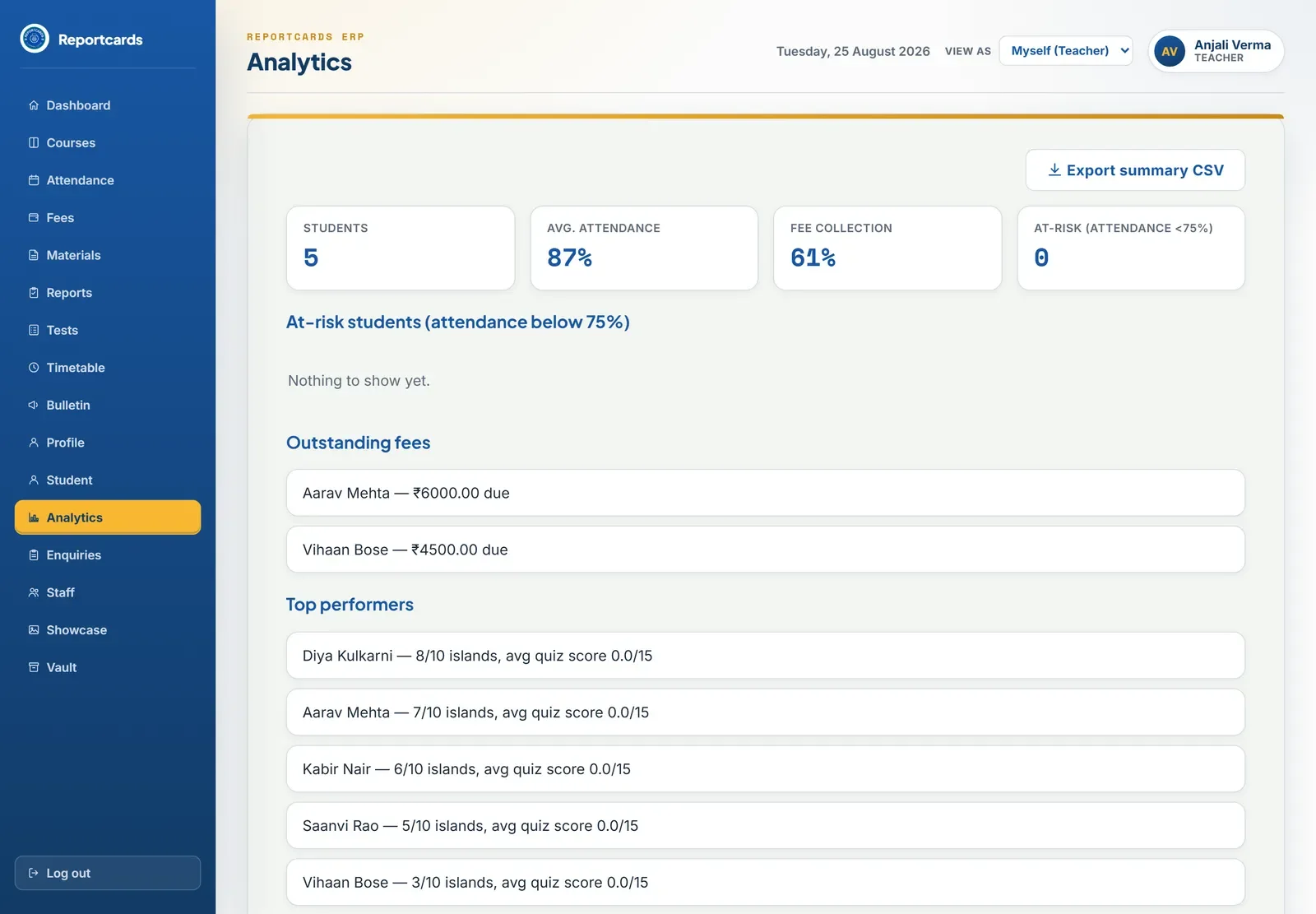
The desk flags outstanding fees and students under 75 percent attendance.
A report card prints from the browser; a parent sees their own child's view.
Walk through it
Every name, mark, fee and attendance record in these screenshots is seeded test data on a development copy of the database. No real student, parent or payment appears.
ERP
The ERP is one app where the signed-in role decides what each person sees: attendance with a lesson note for each day, fees, materials in subject folders with in-app previews, exams and printable report cards, plus teacher analytics and admissions enquiries. Nobody picks their own role: an uninvited sign-up starts as a student, and staff assign parent and teacher roles or send an invitation. Teachers see only their own students. A parent portal lives as separate code inside the parent dashboard, which keeps its changes away from the teacher and student screens everyone else shares. The website offers the ERP to teachers and admins today and shows it to students and parents as coming soon.
Need something similar?
Tell me what your team does by hand today and what the finished system needs to do. I will tell you whether an automation, a custom tool, a portal or a website is the right shape.