How to replace spreadsheets and WhatsApp with a portal
The warning signs
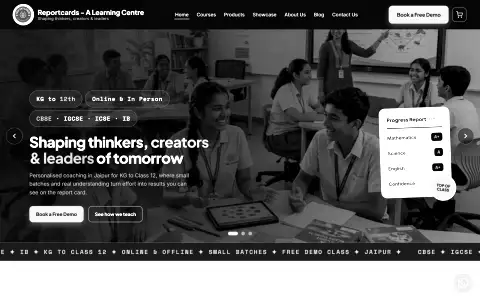
I start a portal project by looking at which tasks and records need a clearer place in the workflow. You might notice the warning signs when you try to find a specific client request from three weeks ago and have to scroll through endless chat logs. You might see it when a staff member accidentally deletes a crucial row in a shared document, or when you realise you have to manually copy data from one file to another just to generate a weekly summary. When you try to replace spreadsheets and WhatsApp with a client portal, you are not just buying software; you are deciding to structure your business. For the Reportcards ERP, I brought attendance and other coaching centre workflows into role-based views. I use the roles and daily tasks to decide what belongs in the portal. When your register and your fee ledger keep slipping, it is time to build a dedicated system.
Start with roles and permissions
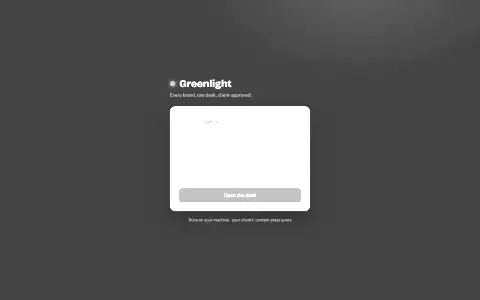
The foundation of any good portal is knowing exactly who is logging in and what they are allowed to see. Before you write a single line of code or choose a platform, you have to define the roles. In the Reportcards ERP, the roles are students, parents, teachers, and the administrator. A teacher marks their own staff attendance and attendance for assigned students. A parent has a separate portal inside the parent dashboard, including the fee view for their own child and published results. A teacher’s unfinished draft never shows to a parent. Only the admin manages the fee ledger. When I built Greenlight for social media approvals, the roles were the manager and the client. The manager gets the full desk with isolated brand workspaces, while the client gets a simple, no-login approval link on their phone. I define these roles up front so the views can be built around the tasks each person needs to do.
The minimum useful modules
When you decide to build a portal, the temptation is to build everything at once. I prefer to begin with one useful workflow. You should always start with the minimum useful modules that solve your most painful problem right now. The Reportcards ERP began as Odyssey, a single English enrichment course that students would actually work through, and grew into twelve modules one at a time. The register and the fee ledger came first after that, because they were the parts that kept slipping. By building one module at a time, you give your team the chance to learn the system without feeling overwhelmed. It also means you can fix the small usability issues before they are baked into a massive, complex application. I built the parent portal as separate code inside the parent dashboard, keeping its changes away from the shared teacher and student screens.
Make notifications actually arrive
A portal is only useful if people know when they need to log in and take action. I treat notification delivery as an operational check as well as a code check. You have to make sure notifications actually arrive. During the build of the Reportcards ERP, there was a crucial lesson about this. The email, push and PDF worker code was in place. However, they were never scheduled to run. I now run the workers as scheduled Windows tasks, with a heartbeat and an undelivered-alert list to make problems visible. If you rely on code tests alone, you will miss these operational failures. You have to catch this by checking actual delivery rather than the code. I check delivery at the destination: scheduling a job or seeing one email arrive does not establish that email, push and PDF delivery all succeed. A notification system is not finished until a real message has reached a real inbox.
Draw data boundaries in the database
Security in a client portal cannot be an afterthought, and it cannot rely simply on hiding buttons in the interface. If a smart user can guess a URL and see someone else’s data, your portal is not secure. You must draw data boundaries in the database itself. In the Reportcards ERP, records are protected by role-based policies in the database. This means the interface is not the security boundary. I build the views around the roles that use the system. For Greenlight, the security takes a different shape. Client approvals use a private link that the manager can rotate to revoke access at any time. Credentials are encrypted at rest, and each brand keeps its own voice rules and logins in completely separate workspaces. I check the access rules alongside the interface during handover.
Test the real path and hand over
Before you hand a new portal over to your team, you must test the real path. This means walking through the exact steps a user will take, using real inputs to reach a real output. I do not rely on sterile demos. I verify the real flow. I test signing in with one email and one code, ensuring there is no password for a busy parent to remember. I test the first-run tours for teachers and parents to make sure they are clear and helpful. I check that the app installs correctly on Android and keeps working even on a patchy internet connection. And when you show the system to anyone, use test data and check what each screenshot reveals. I use these checks to find issues before handover and show the team how the workflow is meant to run.
When a portal is the wrong answer
A custom portal is a powerful tool, but it is not always the right answer. If your process changes every single week, hard-coding it into a portal will only slow you down. If your team is only two people sitting in the same room, a shared spreadsheet might genuinely be the most efficient tool for the job. A portal is the right choice when your rules are stable, your team is growing, and the risk of making a mistake in a spreadsheet is higher than the cost of building a dedicated system. If you are ready to make the switch, you can read more about how I build custom tools and portals.
Want one built for you?
Tell me what your team does by hand today and what the finished system needs to do. Concrete beats polished, and I usually reply within two days.