Greenlight
Social media client approval tool for agencies
One desk for social media managers to write, get client approval, schedule and publish posts for many brands.
NOT PUBLIC · PRODUCT LOCAL TOOL. THE SCREENSHOT IS FROM THE RUNNING BUILD.
At a glance
The problem
Social media managers write for many brands, and approvals get lost in chats because clients will not create another login.
What I built
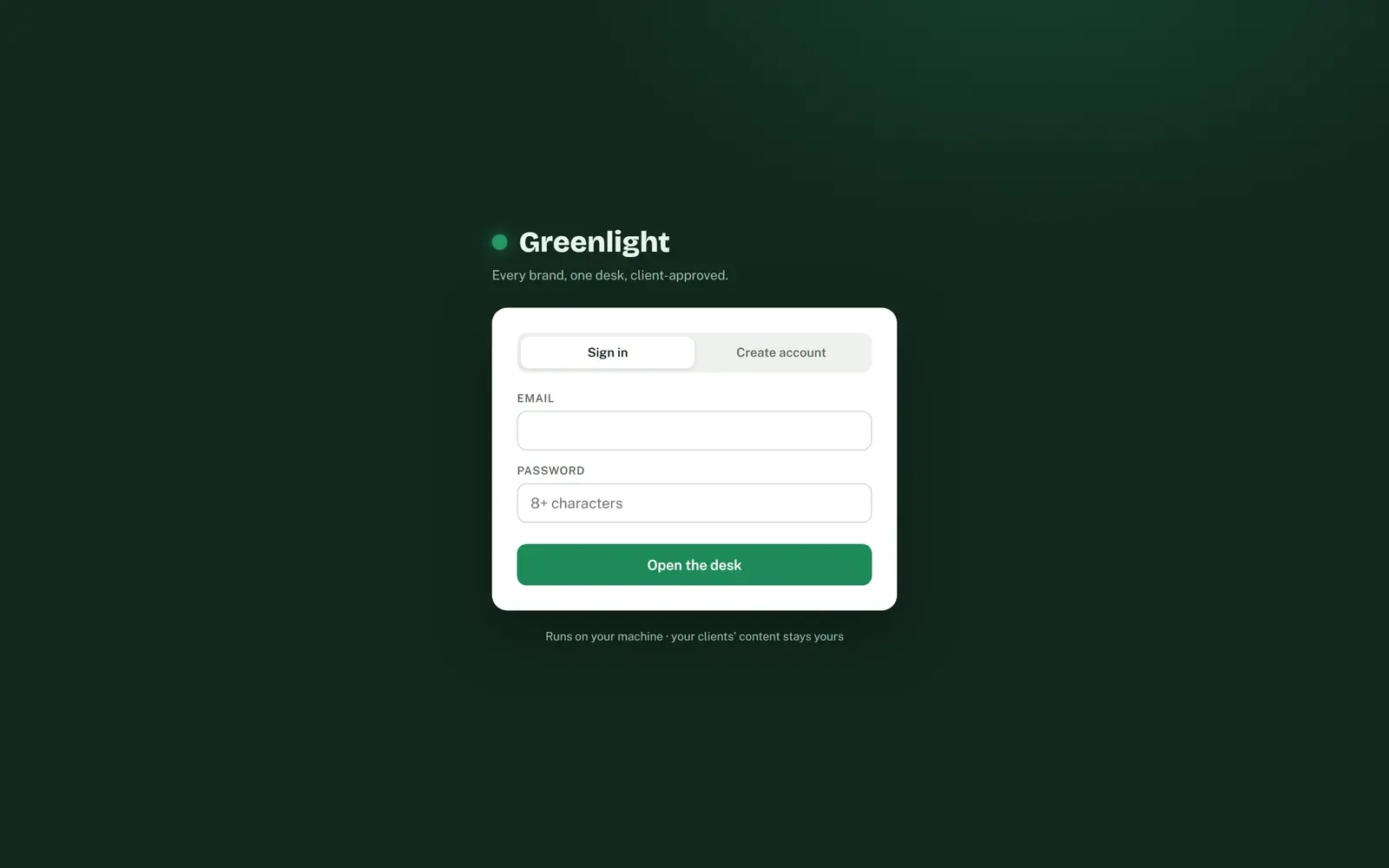
A desk where every post waits, needs you, or gets the green light, with a private no-login approval link for each client.
What changed
A working app: a client approves a post from a phone in one tap, and changes come back with their note.
Read the transcript
This is Greenlight, and the problem it solves for social media managers.
Social media managers write for many brands. And every single post needs the client's yes.
Those approvals get lost in chats. And clients will not create yet another login.
So I built a desk where every post either waits, needs you, or gets the green light.
Every brand you run is a card, with lamps for what each one needs today.
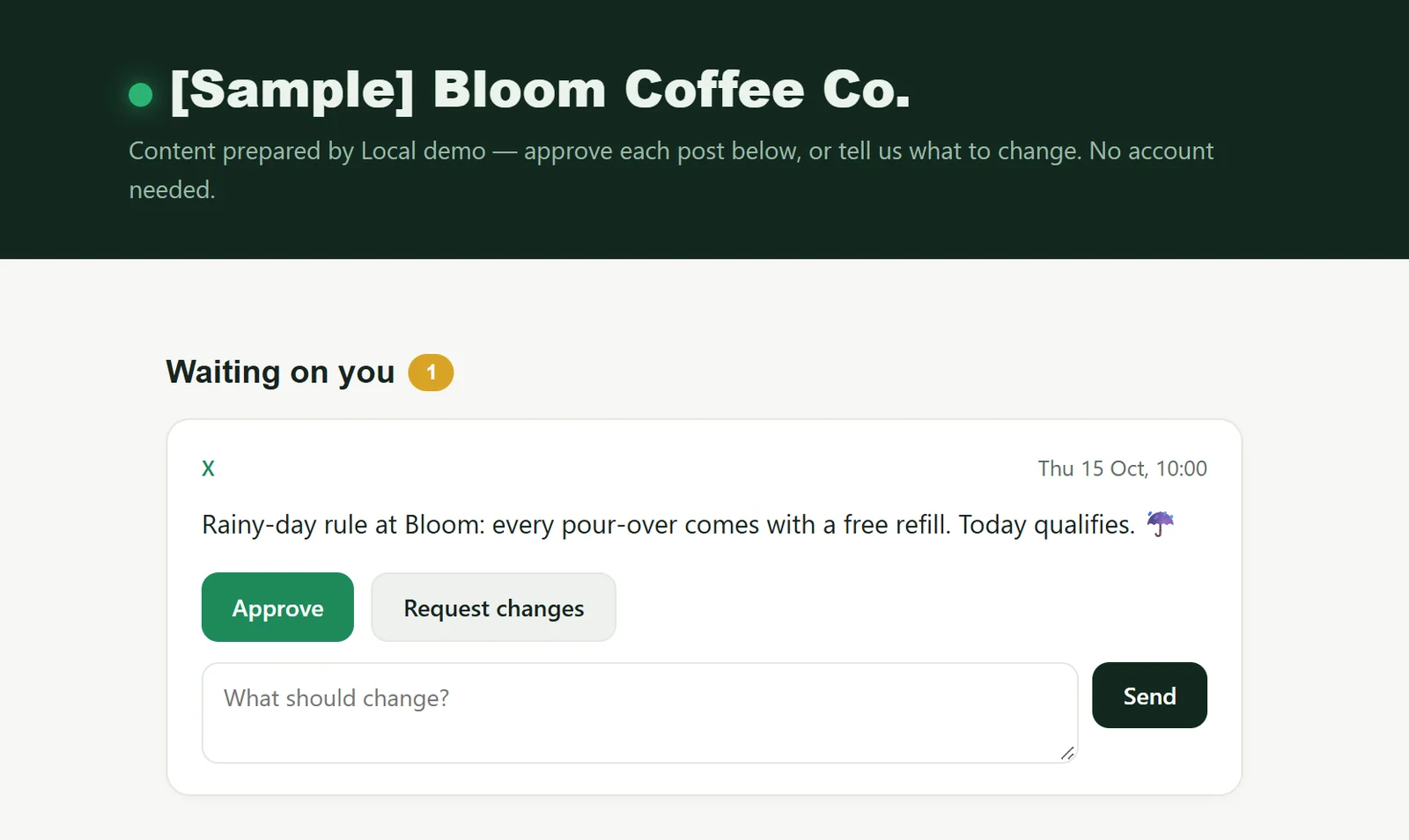
The client gets one private link. No account. Approve, or say what should change.
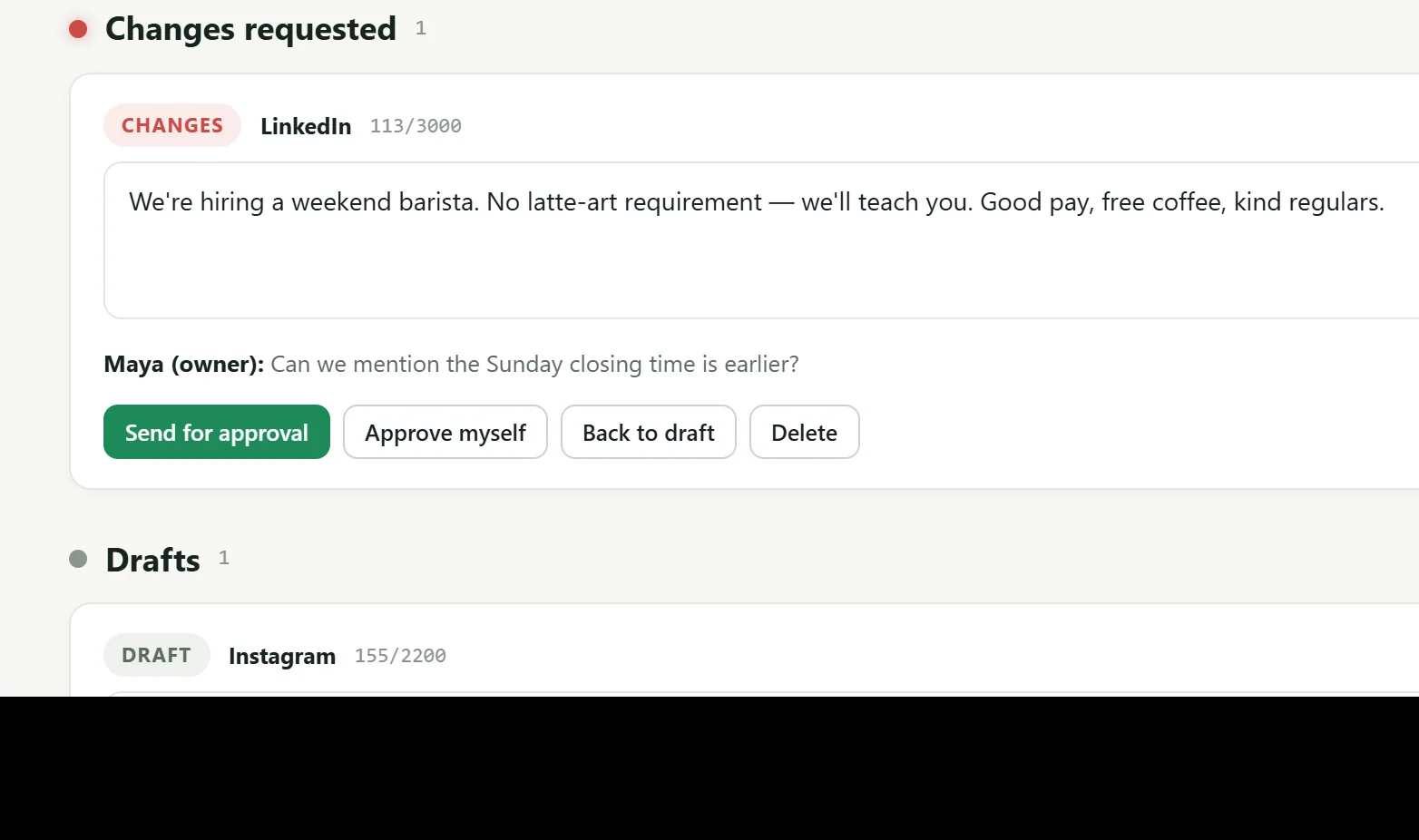
Changes come back to the manager with the client's note attached.
Where a platform does not allow direct posting, it says so honestly, and you post by hand.
Why it looks and works this way
A traffic light for every post
Greenlight is a desk for social media managers who write for many brands and need each client to approve the posts. The name is the design: a post waits, needs you, or gets the green light.
Read the desk
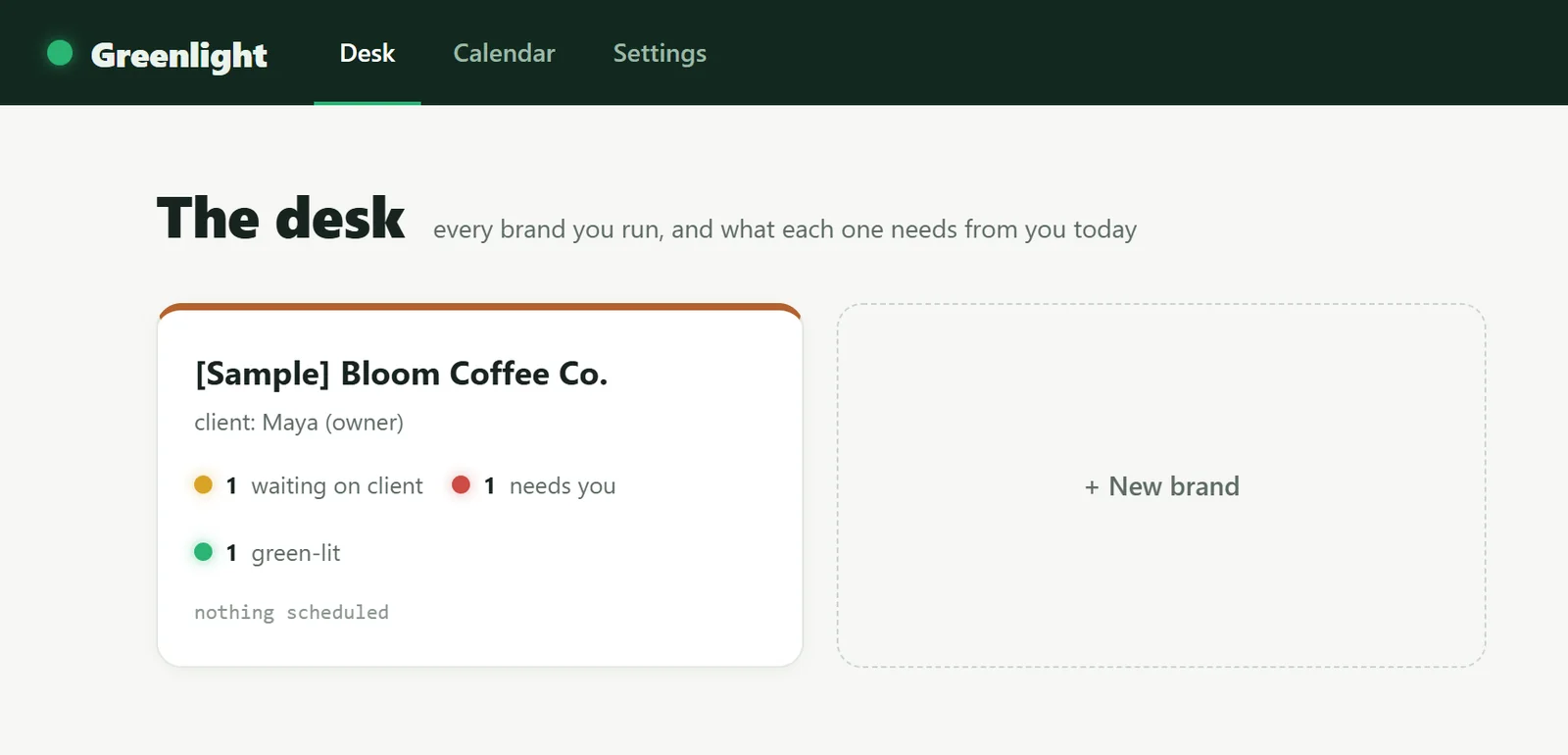
The desk, with a sample brand. Sample data only.
- It starts with today
The home screen is The desk: every brand you run, and what each one needs from you today.
- Each brand in its own colour
Every brand card has a top edge in that brand's own colour, so a manager tells them apart at a glance.
- Lamps, not tables
Small status lamps count posts waiting on the client, needing you, and green-lit. Amber is the one state out of your hands.
- Quiet facts in mono
Small factual text such as nothing scheduled is set in a monospace, so it reads as status, not as a message.
The other side: what the client sees
Decisions, and why
The palette is a traffic light
Green for go, amber for wait, red for stop, on a deep green bar and a pale paper ground.
Why: The product is named for green-lighting a post, so status uses a signal everyone already reads without a legend.
Clients approve without an account
Each brand has a private approval link the manager can rotate to revoke access.
Why: A client needs to approve from a phone in a minute, not create yet another login.
The client page gets the full design
The approval page carries the night header, the lamp, the big headline and two clear buttons.
Why: It is the one screen clients see, and clients judge the manager by it.
Manual where the platforms say so
Bluesky, X and Threads publish directly on a 60-second scheduler; LinkedIn and Instagram are copy, then mark as posted.
Why: Platform policy limits direct posting there. It is honest about that instead of pretending.
Drafting costs nothing
AI drafting uses local Claude Code by default, with the manager's own API key as a fallback.
Why: Drafts are free on the manager's own machine; a key is only needed where Claude Code is not installed.
Two kinds of trust
Managers get real accounts with hashed passwords; clients get token links; each brand's publishing logins are encrypted at rest.
Why: A manager holds the keys to many brands. Those must never sit in plain text.
A post's life
The manager writes, or drafts with AI, for a brand.
The amber lamp pulses while the client has the link.
The client taps Approve, or says what should change.
It is queued and published on time, or flagged to post by hand.
Go, wait, stop
Approve, primary buttons and today's marker.
The glowing green lamp and the logo dot.
Waiting on the client. The only lamp that pulses.
Changes requested: this one needs you.
The top bar and the client page header.
A slightly green off-white ground: daylight, not a dark app.
Type
The logo, page titles and brand names. Characterful, not corporate.
Body, buttons and forms. Plain and clear for the client's one decision.
Specimens are set in the nearest font on your device; the real site loads its own.
The problem
Running social for several client brands meant keeping each brand's voice and credentials separate while chasing approvals outside the publishing workflow. Clients needed a way to approve or request changes from a phone without being provisioned into another account.
What it does
An all-in-one approval desk for social media managers juggling multiple client brands, each with its own tone, audience, and channel credentials. Posts move draft → awaiting → approved → scheduled → posted, with a per-post audit log the whole way.
The signature feature is a no-login client approval link: send a token URL, the client approves or requests changes without an account, and you rotate the token to revoke access. Plus an all-brands calendar and a printable monthly report per brand.
Who it is for
Social media managers and agencies handling several client brands at once.
What it does, feature by feature
- The desk. Every brand as a card: what is waiting on the client, what needs you, and what is scheduled next.
- Separate brands. Each brand keeps its own voice rules, audience, colour and channel logins.
- No-login approvals. Clients approve or ask for changes from their phone through a private link you can revoke at any time.
- Clear pipeline. Draft, with client, green-lit, scheduled, published, with a full history for every post.
- AI drafting. A brief and the platforms in, one on-voice draft per platform out.
- Publishing. Bluesky, X and Threads post automatically on schedule. LinkedIn and Instagram are copy and mark as posted.
- Calendar. All brands on one colour-coded month.
- Client reports. A printable monthly report per brand, with posts published and first-time approval rate.
- Secure logins. Channel credentials are encrypted at rest.
Why it is built this way
I separated this from Repurpose Studio because it is the client-facing workflow that a personal writing system deliberately is not. Each manager gets isolated brand workspaces, each post carries an audit trail, and a revocable token link gives the client only the approval surface; local Claude Code or the manager's own key handles drafting, and native channel APIs handle scheduled publishing.
What was hard
Letting a client approve work without an account meant building auth twice: scrypt-hashed manager sessions on httpOnly cookies for the people running the desk, and revocable per-post links for clients who only ever see one screen. Each brand holds its own channel credentials, so a publish failure has to surface readably against the right brand instead of dying quietly inside a scheduler tick.
Outcomes
- No-login client approvals
- Multi-brand isolation
- 60s publish scheduler
Stack
Need something similar?
Tell me what your team does by hand today and what the finished system needs to do. I will tell you whether an automation, a custom tool, a portal or a website is the right shape.